

To audit your Amazon PPC account, you can manually download and analyze various reports available in Amazon Seller Central.1
Amazon PPC Audit1
To get the best out of the Amazon PPC tips and tricks in this guide, you must first identify what parts of your Amazon PPC strategy are currently working and what needs improvement.
You’ll get these insights by regularly conducting an audit of your advertising account. This can be done manually or using automation tools.
Manual Amazon PPC Audit
Here’s how to use each report:
Search Term Report
The search term report is critical for identifying search terms that generate sales and the ones that are wasting your money.
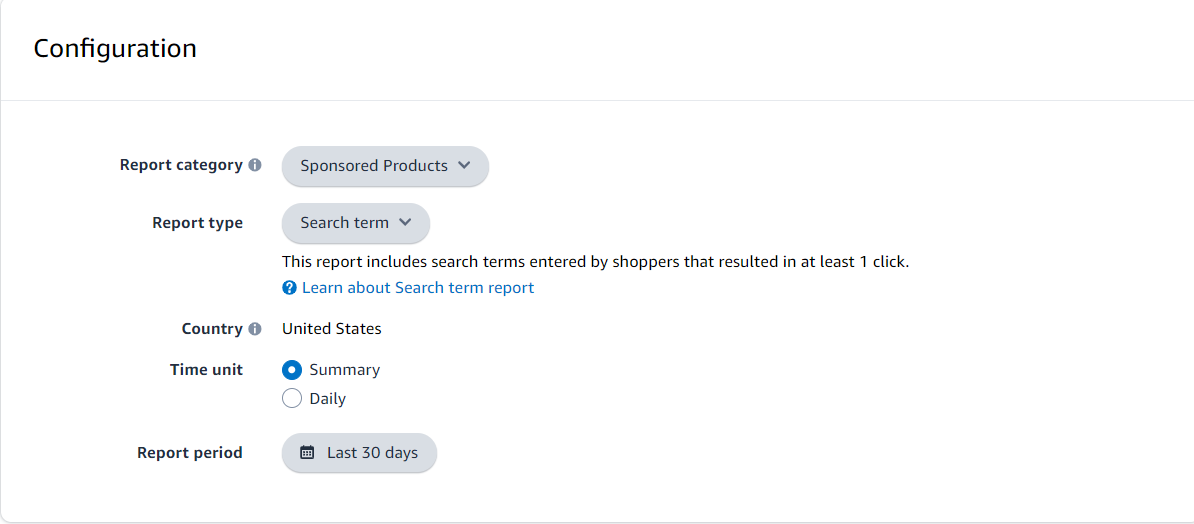
To download your search term report, go to Amazon Seller Central.
Navigate to Advertising > Campaign Manager.
Select Measurements & Reporting from the sidebar.
Choose Sponsored ads reports.
Create a search term report for the last 30 days.
When you see search terms that brought in significant sales at a low ACoS, you should increase their bids if you’re already targeting them.
If you’re not yet targeting these high-performance search terms, add them to your campaigns.
Additionally, you can find search terms with high spending but no sales in your search term report. Add these as negative keywords to avoid wasted spend.
Keyword Performance Report
The keyword performance report helps you analyze the performance of individual keywords.
This report is available under Measurement & Reporting > Sponsored ads reports.
Here, you’ll find top-performing keywords with high sales and low ACoS. Use them to create exact-match campaigns with high bids to increase sales and organic rank on these keywords.
Conversely, identify low-performing keywords with high spending but low sales and lower bids on these keywords or negate them.
You can also assess the performance of different match types (broad, phrase, exact) and adjust bids based on their performance.
Placement Report
The placement report provides insights into your ads’ performance across top of search, product pages, and rest of search placements.
You can find this report under Measurement & Reporting > Sponsored ads reports.
On the one hand, you can identify top-performing placements and increase placement boosts for them.
On the other hand, you should reduce bids for placements that are not performing well.
In summary, you want to allocate more budget to placements with high conversion rates and low ACoS.
Advertised Product Report
The advertised product report provides performance metrics for each product you’re running sponsored ads for, helping you ensure a product’s ad spend is proportional to its performance.
You can view this report under Measurement & Reporting > Sponsored ads reports.
Placement Report2
Depending on your bid, your Sponsored Product advertising might appear at the top of Amazon search results, in the middle or at the bottom, or on a competitor’s product detail page. The placement report evaluates the success of your ad based on its location.
Rigorous Negative Hygiene3
Agencies obsess over negatives to block waste, reviewing search terms daily for high-spend/no-sale phrases (e.g., >1.5x AOV spent). They add negatives to autos first, then cascade to manuals, segmenting branded/unbranded to protect winners. Bleeding keywords get negated instantly; one agency saved thousands via proactive hygiene.
Bi-weekly hygiene sweeps use rules like “negate if 0 sales after AOV spend,” preventing 20-30% budget bleed. This maintains efficiency in large accounts.
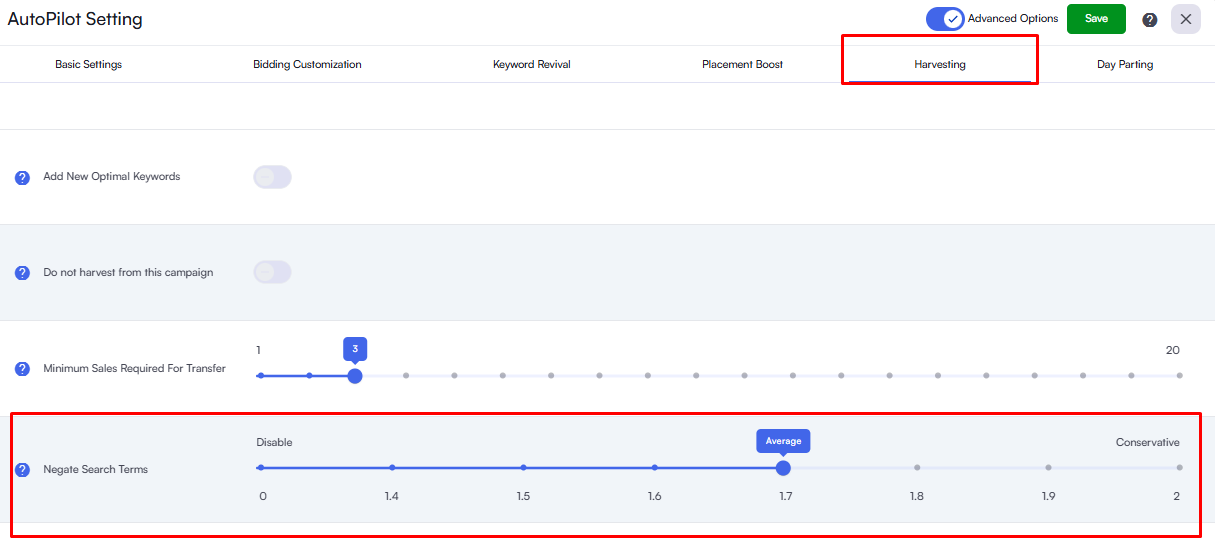
AiHello automates this fully: Negation rules trigger when search terms exceed your benchmark (e.g., 1.5x AOV no sale), and the results are added across campaigns every 24 hours. Keyword management auto-removes bad performers while harvesting winners, mirroring agency SOPs without spreadsheets.
Placement Playbooks
Agencies deploy playbook-driven placement strategies, boosting Top of Search (TOS) for converters while capping Rest of Search (ROS) for low-CVR spots. Placement reports dictate adjustments: +20-50% TOS boosts for <20% ACoS, zero/minus bids on underperformers. Competitor analysis refines this cross-channel.